

 Română
 English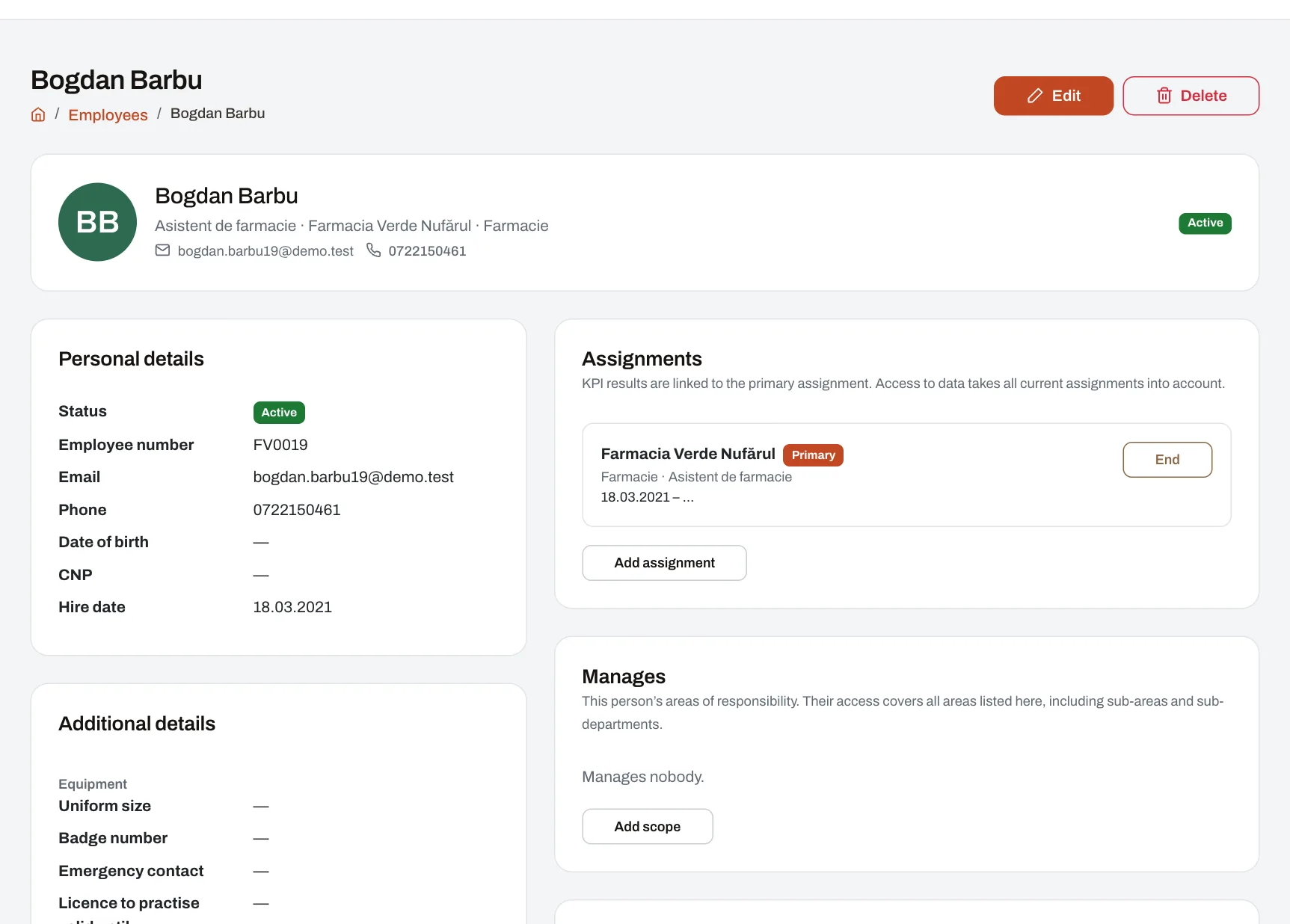
Everything Harmoniq does starts from one thing: who works where and who manages whom. Here you keep the company’s structure as it really is — areas, units, departments, positions and teams — and every employee’s record with their placements. From them Harmoniq works out who sees what in every other module: scores, leave, courses, audits. HR works here, and managers see and update the people in their reach.
How it works
- Describe the structure. Geographic areas as a tree (for example West Region › Timiș), with a name for each level; units, the physical places — shop, hotel, office, warehouse — with the address picked from the official list of localities; departments, with sub-departments; positions, with their seniority level; teams, which bring together people from different units and departments.
- Bring in the people. Add them one by one or from an Excel or CSV file of up to 5,000 rows. The whole file is checked first: you see the first 20 rows and every error, and if one row is wrong nothing is imported until you correct it.
- Place each person. A placement gives the unit, department, position and period. A person can hold several placements at once, one of them primary — that is where their KPI results go. A placement that ends stays in the history.
- Set each manager’s reach: a unit, a department, an area (with everything under it) or named people, for a period, marked “may evaluate” or “view only”.
- Give access. From the employee’s record you create their user account and choose their roles. The result: the person signs in and sees exactly what their role allows, for the people in their reach.
Example: a chain of fashion shops
A chain has 25 shops in three regions and a head office with Sales, Logistics and HR departments. A sales adviser works in two shops in the same mall: she has two placements, the primary one at the shop where she works most shifts. The shop manager’s reach is their shop; the regional manager’s is the region, with all its shops. While the regional manager is on leave, he appoints a deputy for two weeks; at the end the delegation ends by itself.
Who sees what
- HR: the whole company, with the right to change the structure and the records.
- Area and unit managers: the people in their reach — every current placement counts — and they can update their records and accounts. Anything outside their reach simply does not appear.
- Employees: their own data, in their account.
- The CNP (Romanian personal ID number) is encrypted and shown in full only to people explicitly allowed to see it; it never appears in lists.
- A manager can sign in as someone they manage, to see what that person sees; it is recorded in the log, and the person’s direct messages stay hidden.
Roles, deputies, sign-in
- Roles come ready-made (Owner, HR, Area manager, Unit manager, Employee and others) and can be changed or joined by roles of your own.
- A manager can grant a delegable role, with or without an end date, and appoint a deputy for a period.
- Two-factor sign-in can be required per role.
- Any data the company keeps beyond the standard fields is added as custom fields.
Limits
- Every active employee account takes a seat in the plan.
- Harmoniq does not run payroll and does not replace the official employee register; data can go to other systems by export or through the API.
Frequently asked questions
Can an employee work in two units?
Yes, with two current placements. One is primary, for KPI; access and groups take both into account.
What if the import has mistakes?
Nothing is imported. You see the rows with problems, correct the file and upload it again.
How do I know what a manager sees?
From their reach: the units, areas, departments or people they have. Anything outside it does not appear in any module.
What happens to the history when someone moves?
You end the old placement and add a new one. The old one stays in the history with its dates, and from the day of the move the person appears in the reach of the new unit’s managers.