

 Română
 English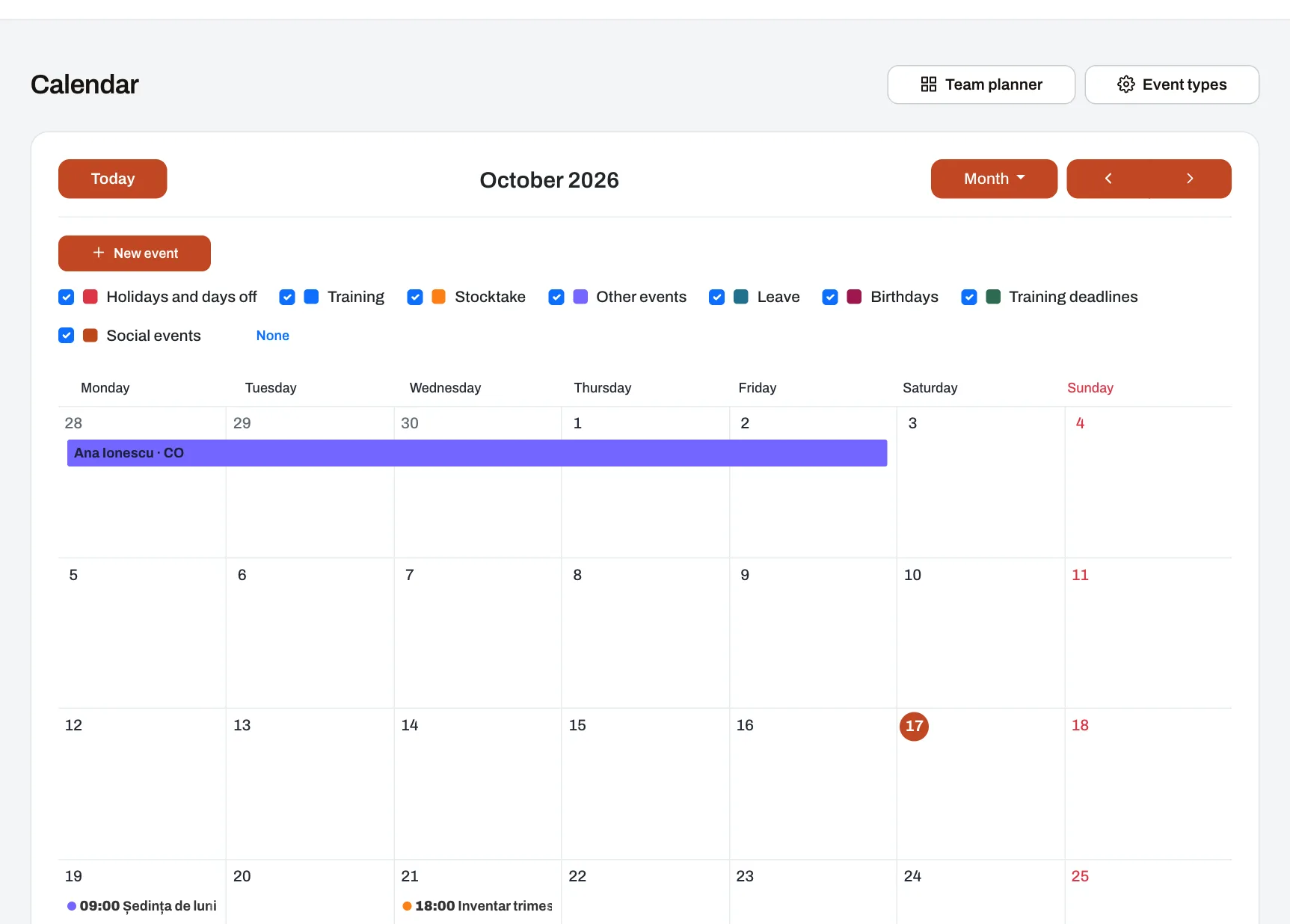
The calendar brings together, in one place, what is happening in the company and concerns each person: the events they are invited to, public holidays and the company’s days off, leave, colleagues’ birthdays and the due dates of their own courses. Everyone sees only what concerns them, by role and reach, and the calendar can also be seen in Google Calendar, Outlook or Apple Calendar. Every employee uses it; events are organised by HR or whoever has the right.
How it works
- The calendar fills itself. Public holidays and the company’s own days off or working days, leave from the Leave module, training due dates and the social network events a person said they are going to all appear without anyone entering them again.
- The organiser creates an event by selecting free days or hours in the calendar: its type (each with its colour), title, place, description, attached documents and who sees it — the whole company, a unit, or only the chosen participants.
- They choose whether it repeats: weekly, every two weeks, monthly or yearly, for up to two years. A change applies to one occurrence, or to it and the following ones.
- They ask for confirmation, if they want. Guests answer Going, Maybe or Not going, the organiser sees who has not answered, and guests get a reminder the day before.
- The result: participants and the unit’s people are told when the event is scheduled, moved or cancelled, and everyone sees it in their own calendar.
Example: a network of car service centres
A network has 14 car service centres. HR schedules the workshop leaders’ monthly meeting for the first Tuesday of the month, with confirmation; when one meeting moves, the change applies to that month only. The manager of a centre in Cluj, whom the company has allowed to organise events, puts the stock-take day for his unit in the calendar, and the mechanics there are told. A service adviser sees his approved leave and the due date of the course on hybrid systems, while his colleagues only see that he is away on those days.
Who sees what
- Events: company-wide ones are seen by everyone, a unit’s by the people in that unit, and those with participants only by the participants.
- Leave: everyone sees their own leave. A manager who approves leave sees the leave of the people in their reach, with its type, and has a team planner where requests not yet approved are hatched. Colleagues in the same unit see only “away”, never the type of leave.
- Birthdays: only of people who chose to show theirs, and of the people in a manager’s reach — day and month, never the age.
- Company-wide events can be created only by someone with company-wide reach, and a unit’s events only by someone who has it in reach.
Subscribing from another calendar
- Everyone can create a private address to add in Google Calendar, Outlook or Apple Calendar. The address is shown only once.
- The external calendar updates automatically, usually every few hours, depending on the app.
- An address that reached someone else can be replaced with a new one or switched off, and the old one stops working.
Limits
- The subscription works one way: what you add in Google or Outlook does not appear in Harmoniq.
- The calendar does not book rooms or equipment and does not plan shifts.
Frequently asked questions
Can colleagues see why I am away?
No. Colleagues only see “away”. The type of leave is seen by the person and the managers who handle their leave.
Can I see the calendar on my phone?
Yes, in Harmoniq in the phone’s browser, or in the phone’s own calendar app through the private subscription address.
Do I get a notification for every company event?
No. Participants are told and, for a unit’s events, the people in that unit. Company-wide events send no notifications.
What happens when a repeating event is cancelled?
You choose whether to cancel only that occurrence or the following ones as well; participants are told.