

 Română
 English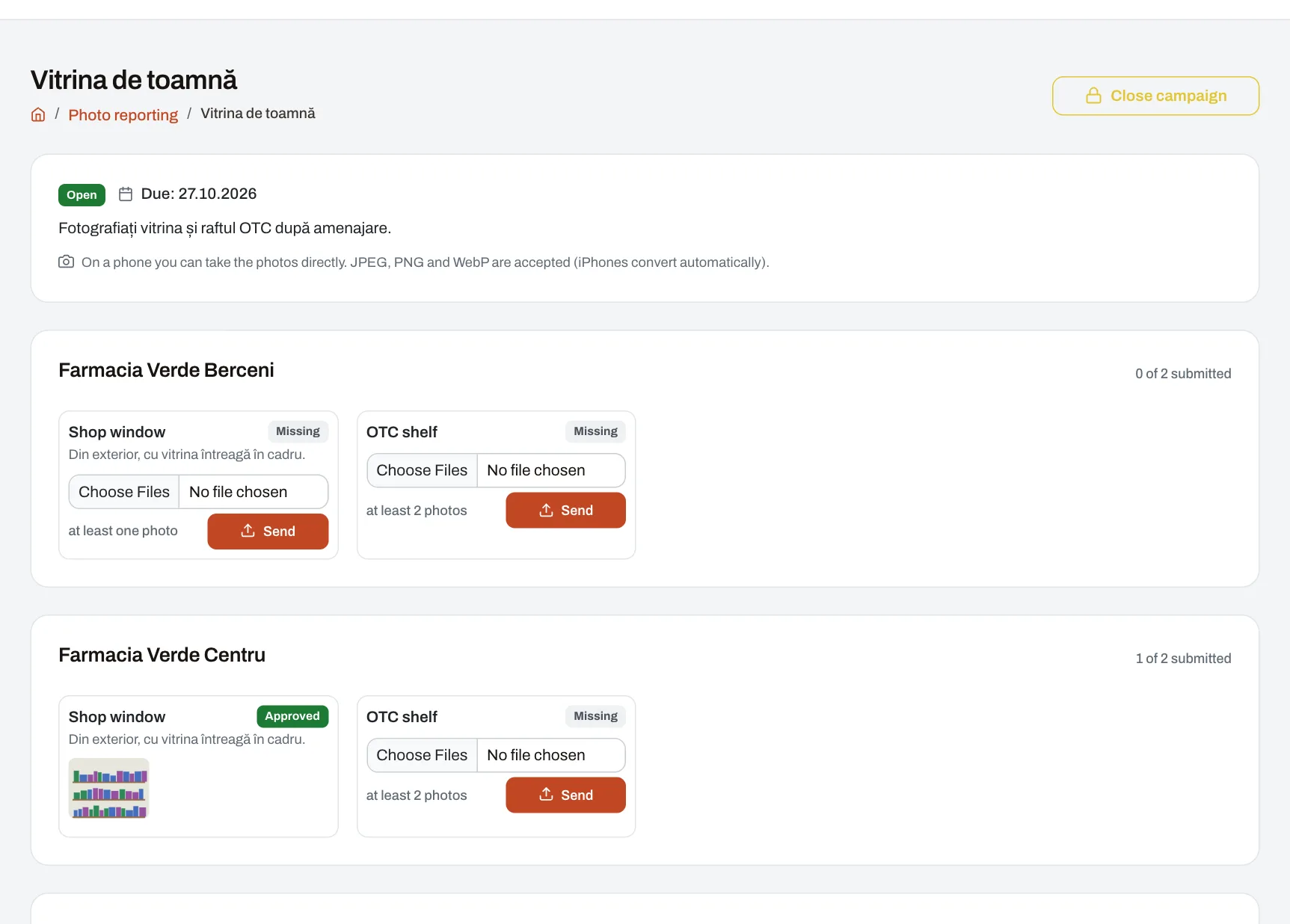
When head office asks every unit to set up the seasonal window or show what an aisle looks like after a change, the surest answer is a photo. With Photo reporting you run campaigns in which each unit sends the photos asked for, straight from the phone, by a deadline, and the people in charge approve them or send them back with what needs redoing. Everything stays in one place instead of being scattered across chat groups. Unit staff send the photos; managers check them.
How it works
- Set up the photo groups. A group is what you ask to be photographed, for example “Window”, “Promotion shelf” or “Till area”, each with its minimum number of photos.
- Open a campaign: its title, instructions, deadline, the groups required and the units — every unit in your reach or just some. The result: the people in the chosen units get a notification.
- The unit sends the photos. For each group, a colleague takes them straight with the phone or picks them from the gallery (JPEG, PNG or WebP; iPhone photos are converted automatically). A unit sends only for the groups required, and only for the unit they work in.
- The person in charge reviews. They approve the group or send it back with what needs redoing; whoever sent the photos is notified, and the new set replaces the old one. An approved group no longer changes.
- The result: for each unit and group, the campaign shows whether photos are missing, sent, approved or to be redone, and how much of the total has been sent. Two days before the deadline, units with groups still missing get a reminder. Once you close the campaign, no more photos can be sent.
Example: a chain of opticians
A chain has 35 optician shops. For the autumn collection, the marketing department opens the campaign “Autumn window”, due on Friday, with two groups: “Shop window”, at least three photos, and “New frames shelf”, at least two. By Thursday, 29 shops have sent everything; the other six have already had their reminder. The area manager approves most sets and sends two back with the note “The price card is missing from the window”. The shops redo them the same day.
Who sees what
- Unit staff: the campaigns for their unit and the photos their unit sent. By default every employee can send.
- Managers: the campaigns and photos of the units in their reach; they review them and open campaigns for those units.
- Anyone with company-wide reach opens campaigns for every unit.
- Nobody reviews their own photos: a manager who sent the unit’s photos personally cannot approve them.
- Photos have no public address: they open only inside Harmoniq, for the people allowed to see them.
Limits
- A campaign asks for photos by group, not for a form to be filled in; for point-by-point checks with a score, use Internal audit.
- Photo campaign results do not feed KPI scores.
- For partners’ campaigns in display spaces and on shelves, photo proof is handled in In-store spaces.
Frequently asked questions
Do we need to install an app?
No. Harmoniq opens in the phone’s browser, and when uploading you can take the photo straight with the camera.
What happens to rejected photos?
The unit gets the note saying what to redo and sends a new set, which replaces the old one.
Can I ask only some units for photos?
Yes: choose the units when you open the campaign, from those in your reach.
Does the unit get a reminder?
Yes, once, two days before the deadline, if it still has groups not sent.