

 Română
 English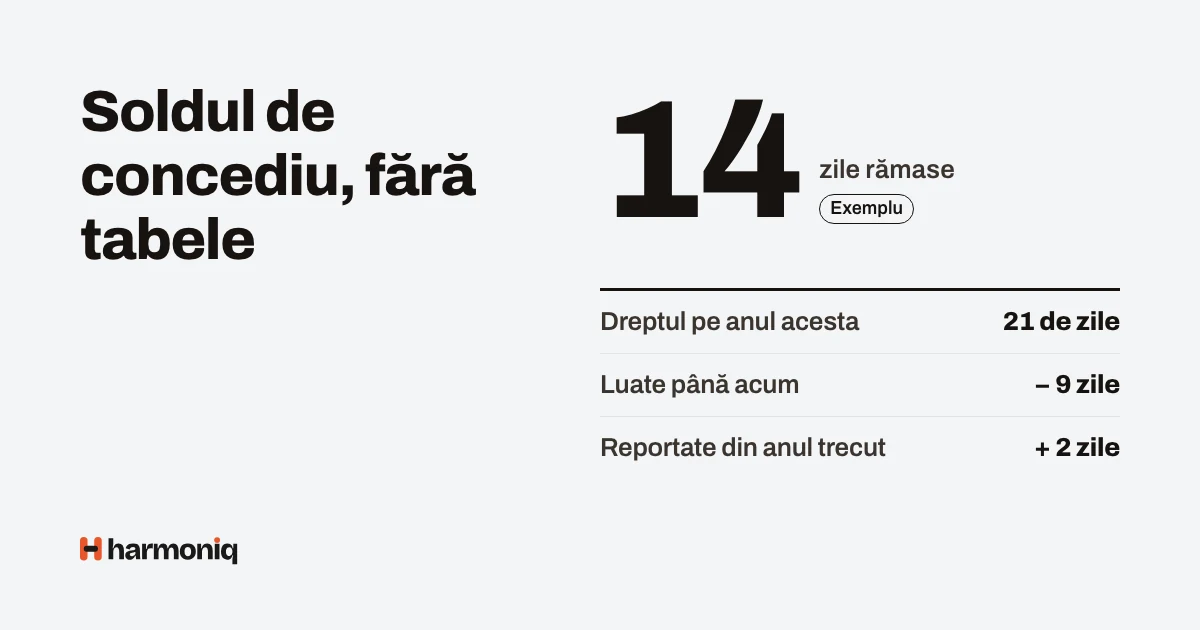
This guide is for HR, accountants and business owners who keep leave records in an Excel spreadsheet and want to move to an app without losing anything along the way. Spreadsheets work until the company grows: there are more approvers, more types of leave and the question “how many days do I have left?”, which only HR can answer. By the end you will have a list of what to settle before the move, a complete example of a request and a checklist for reconciling balances.
Throughout the text we keep three things apart: what the law requires (with the article and the source), what we recommend as practice and what the Harmoniq app does.
What the law says, in short
From the Labour Code (Law no. 53/2003, republished, the consolidated version on the Legislative Portal, verified on 18 October 2026):
- Annual paid leave (concediul de odihnă) is at least 20 working days; the actual length is set in the individual employment contract, in line with the law and the applicable collective agreement (art. 145(1)–(2)). Certain categories get at least 3 additional working days, for example people under 18 or people with disabilities (art. 147).
- Public holidays and the paid days off set by the collective agreement are not counted as leave (art. 145(3)). The list of public holidays is in art. 139 and also includes 6 and 7 January, added by Law no. 52/2023.
- Leave is taken every year. If the employee cannot take it for justified reasons, the employer must grant it within 18 months starting from the following year (art. 146(1)–(2)). Payment in lieu is allowed only when the contract ends (art. 146(3)).
- Leave is scheduled by the end of the year, for the following year (art. 148(1)). If leave is split, the employer must schedule it so that each employee has, in the calendar year, at least 10 consecutive working days (art. 148(5)).
- Holiday pay is paid at least 5 working days before the leave starts (art. 150(3)).
- If sick leave begins during annual leave, the annual leave is interrupted and the remaining days are taken afterwards (art. 145(5)).
- Paid days off for special family events are not part of annual leave; the events and the number of days are set by law, the collective agreement or the internal regulations (art. 152). Public institutions have their own rules (HG no. 250/1992); in the private sector, the company’s documents apply.
What is not written in the law and is up to the company: who approves, in how many steps, how quickly and how leave is requested. Put these rules in the internal regulations (regulamentul intern).
Step 1. List the types of leave
Who: HR, with accounting. Inputs: the current spreadsheet, the collective agreement (if there is one), the internal regulations. Result: the list of types, each with its rules.
For each type, decide: whether it is deducted from the annual balance or not; whether it is counted in working days or calendar days; whether it is paid; whether it needs a document (for example, the marriage certificate); whether it needs approval and from whom; whether it has a maximum number of days per request.
Step 2. Set entitlements and carry-overs
- The annual entitlement per person: the minimum 20 days plus the extra days from the contract or the collective agreement (length of service, working conditions).
- Employees who join or leave during the year: set the pro rata calculation rule and apply it the same way to everyone.
- The carry-over: the days not taken last year, with the date by which they can be taken.
Step 3. The calendar and the work schedule
Leave days are counted in working days: without weekends, without public holidays, taking into account the days off or working days set by the company (a “bridge” day made up on a Saturday, for example). Watch out for people who work shifts or at weekends: for them, “Monday to Friday” does not describe their real schedule, and the number of days has to be checked against their schedule.
Step 4. Who approves
Write down the flow: who approves (the direct manager, then HR?), what happens when the approver is away and how quickly a reply is due. A manager who is away should be able to leave a deputy for that period.
A complete example: from request to balance
Example with fictional data. Andrei works in a store, Monday to Friday.
| Item | Days | Where it comes from |
|---|---|---|
| Entitlement 2026 | 21 | 20 days legal minimum + 1 day from the contract |
| Carried over from 2025 | 3 | Days not taken in 2025, to be taken by 30 June 2027 |
| Taken by December | 12 | Requests approved during the year (the first 3 used up the carry-over) |
| Available before the request | 12 | 21 + 3 − 12 |
The request: annual leave from Monday, 21 December, to Thursday, 31 December 2026. The period has 11 calendar days; take away the weekend of 26–27 December and Christmas Day, Friday 25 December (the second day of Christmas falls on Saturday, at the weekend). That leaves 8 working days: 21–24 and 28–31 December.
- Request submitted: the balance shows “available 4, pending approval 8”. Pending days are deducted from what is available, so nobody can request the same days twice.
- Approval: the store manager approves. Balance: taken 20, available 4.
- Alternative: rejection. The 8 days go back to available (12). A rejection comes with a written reason.
- Alternative: cancellation. Andrei can cancel his request while it is pending or, once approved, up to the first day of leave; the days go back to the balance.
- On 1 January 2027: the 4 days left from 2026 become a carry-over, to be taken by 30 June 2028.
A request across the end of the year
If Andrei had wanted 28 December 2026 – 8 January 2027, the period touches the balances of two years. Two requests are made: 28–31 December (4 days, from the 2026 balance) and 4–8 January 2027 (3 days, from the 2027 balance, because 6 and 7 January are public holidays).
Overlaps
The same person cannot have two active requests for the same days. For colleagues in the same team, overlapping is not forbidden by law; the manager decides, looking at the Team planner before approving.
Checklist for moving off Excel
- Choose the start date, ideally 1 January or the start of a month, after all requests from the previous period have been closed.
- Set up the types of leave, the calendar (public holidays, the company’s days off and working days) and the approval flows.
- For each employee, note from Excel, as at the start date: the year’s entitlement, the days carried over (with their expiry date), the days taken and the future requests already approved.
- Enter each person’s entitlement and carry-over in the app; enter the future leave already approved as approved requests.
- Reconcile: for each employee, the available figure in the app must equal the one in Excel. Differences are explained one by one (a forgotten day, an adjustment from the contract) and corrected with a note.
- Send each person their balance and ask them to confirm it or report a difference by a fixed deadline.
- Keep the final Excel file, unchanged, as an archive of the previous period.
- From the start date, new requests are made only in the app.
The balance in the app is only as correct as the starting data and the setup. That is why reconciliation is the most important step, not a detail.
Common mistakes
- The balance kept by hand, separately from the requests. Fix: the balance is calculated from entitlement, carry-over and requests; nobody writes it directly.
- A carry-over without an expiry date. Fix: each carry-over has its own deadline.
- Public holidays deducted from leave. Fix: the calendar of public holidays, updated every year.
- Pending requests ignored. Two people request the same available days. Fix: pending days are deducted from what is available.
- Sick leave in plain view. The type of leave is health information. Fix: colleagues only see that the person is absent.
- Moving without reconciling. Fix: each person’s balance, checked and confirmed at the start.
How to apply the steps in Harmoniq
The Leave module is included in every plan.
- The types of leave start from a list based on the Labour Code (annual leave, sick leave, unpaid leave, family events, days made up), which you adapt: whether it is deducted from the balance, working or calendar days, days per year, how many months the carry-over is valid, maximum per request, attached document, deputy, the approval flow.
- The balance is calculated: entitlement + adjustment + valid carry-over − taken − pending. The entitlement starts from the type’s days per year, pro rata to the period worked in the year, and can be changed per person; extra days from the contract go under “Adjustment”. Days taken are deducted from the carry-over first. Nobody changes their own balance.
- Working days are Monday to Friday, without Romanian public holidays (calculated for each year) and taking into account the company’s “Days off and working days”. The app has no individual work schedule and no half days: for people who work shifts or at weekends, check the number of days on the request and use the balance adjustment where needed.
- The request checks the balance, the person’s own overlaps and the type’s rules; annual leave across the end of the year is requested in two requests. A request cannot be edited: it is cancelled and a new one is made.
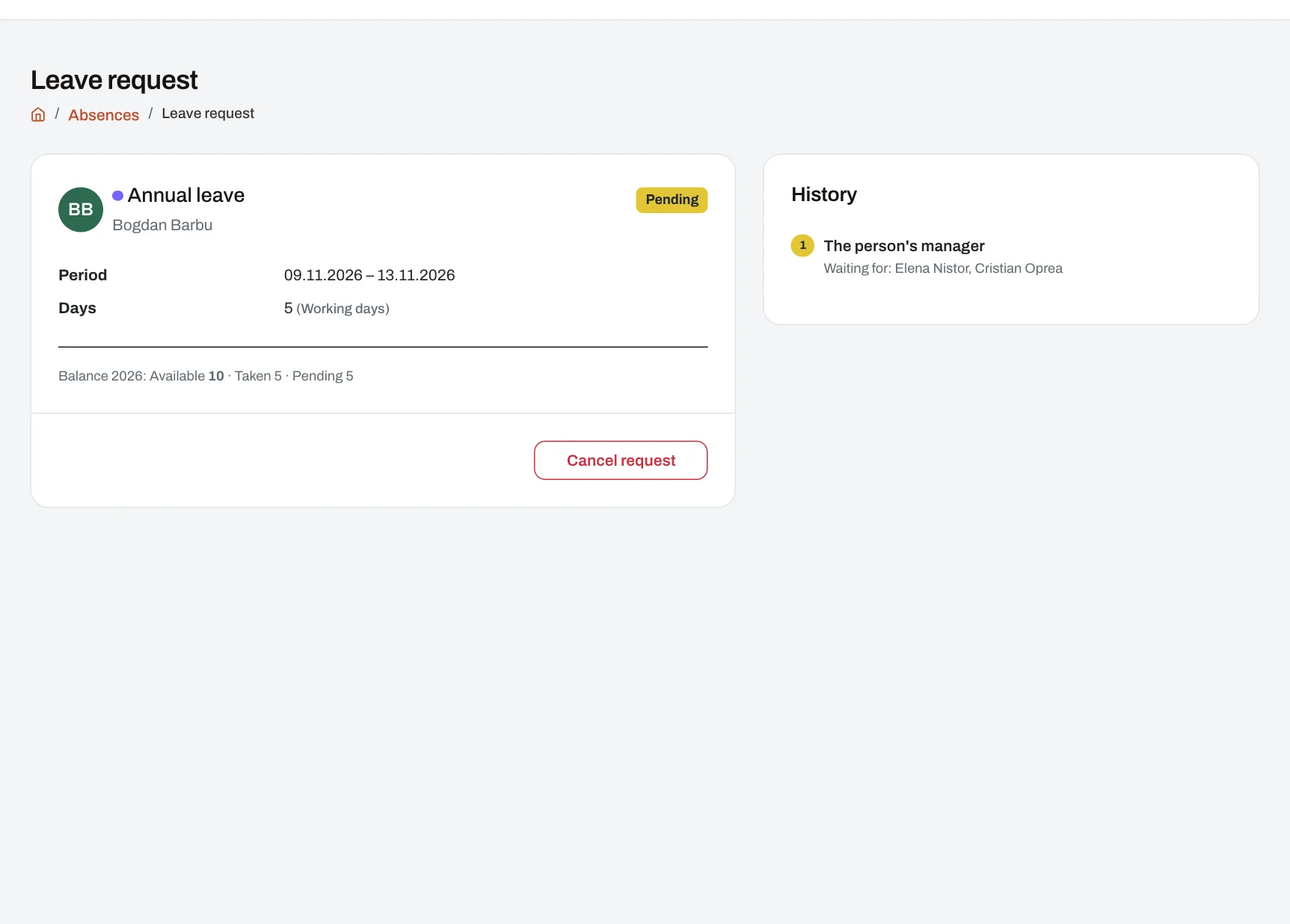
- Approval goes through the type’s flow, in steps; approvers only see the people in their area, nobody approves their own request, and the deputies of a manager who is away can decide in their place. A type without an approval flow (by default, sick leave) is recorded immediately.
- The Team planner shows approvers the leave for a month, one row per person; pending requests appear hatched. When a request is submitted, no warning appears about colleagues who are away in the same period.
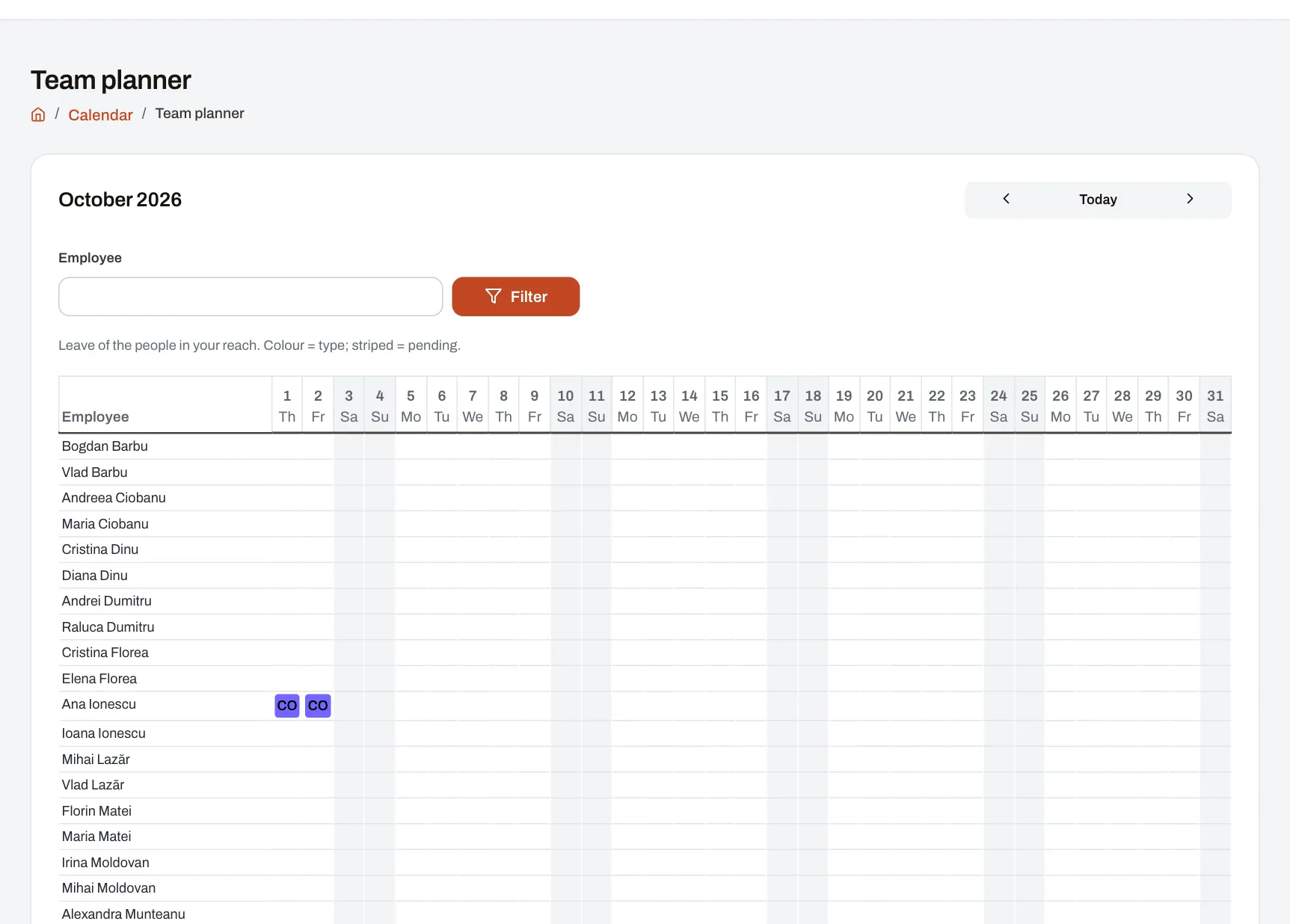
- Medical data: for sick leave, the period, the series and number of the medical certificate and the attached document are kept, without a diagnosis. In the calendar, colleagues only see “absent”, without the type.
- Moving off Excel: there is no import of balances or history from a file. Starting balances are entered per person, under Absences → Balances; on Enterprise, they can also be sent through the API. Balances and requests can be exported to Excel from the reports.
- The carry-over is calculated when the new year’s balance is opened. If a request from the old year is changed after that, check and correct the carry-over.
Frequently asked questions
Are days not taken lost at the end of the year?
Not automatically. The law provides for them to be granted within 18 months from the start of the following year, if they could not be taken for justified reasons (art. 146(2)). What happens after that deadline is a question for the company’s lawyer.
Can I pay for days not taken instead of granting them?
Only when the employment contract ends (art. 146(3)).
How do I handle sick leave that begins during annual leave?
The annual leave is interrupted (art. 145(5)). In practice: cancel or shorten the annual leave request and record the sick leave; the remaining days are scheduled again.
Do I also have to keep the Excel spreadsheet?
Keep the final version, unchanged, as an archive of the period before the move. Do not keep updating it in parallel.
Next step
List the types of leave and reconcile the balances for a single team, then extend it. To see requests, balances and the Team planner, go to the demo company as the HR lead or as a manager.